Protecting your privacy online is important. For that reason, we recommend choosing a username that does not reveal your real identity. For added privacy, you can also comment, like, and message in Anonymous Mode, which gives you an extra layer of protection.
How to turn on Anonymous Mode
-
Log in to your profile using your username and password.
-
Click your profile badge in the upper-right corner of the page
-
In the menu that opens, select Profile
-
Click Enter Anonymous Mode.

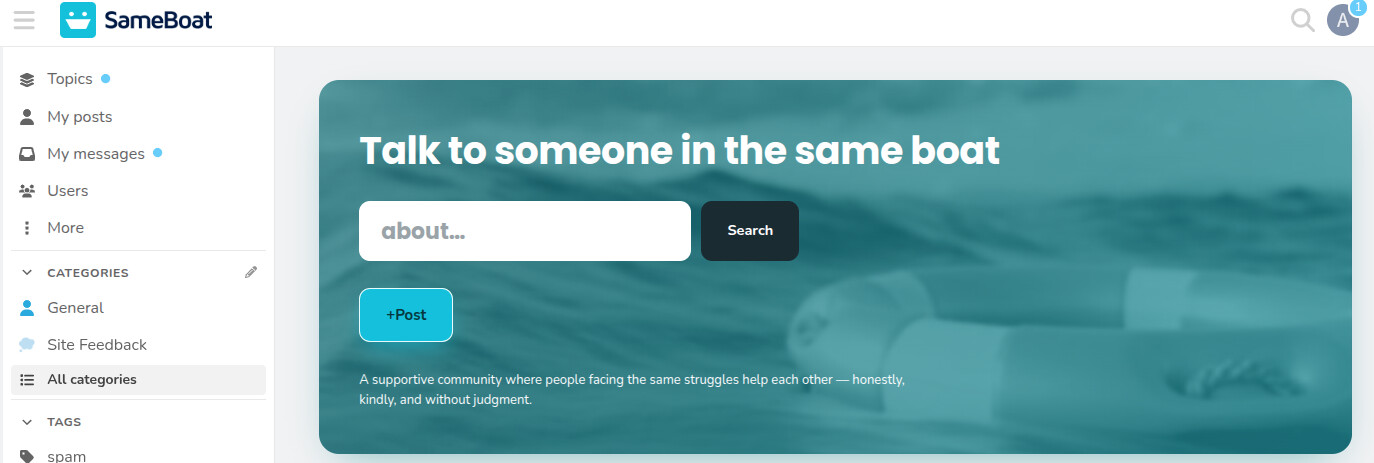
When Anonymous Mode is active, your profile badge will change to a grey circle with the letter A.
How to turn off Anonymous Mode
You can turn Anonymous Mode off at any time and post using your username again.
-
While logged in, click your profile badge in the upper-right corner of the page.
-
In the menu that opens, select Profile.
-
Click Enter Anonymous Mode again.

Your profile badge will change back, confirming that Anonymous Mode is no longer active.
Important reminder
Always check whether Anonymous Mode is on before posting. If you post with your username and want to delete the post, click the three dots below the post, then select the Delete icon.
Step 1:

Step 2:

Please also read our article about Staying safe when you share your story online.